Personal Agent Protocol: How to Add and Validate poppy.json
What poppy.json is, how to add it to your site, and how to validate it for Personal Agent Protocol 1.0, with data from 134 real sites, including every Shopify store we checked.

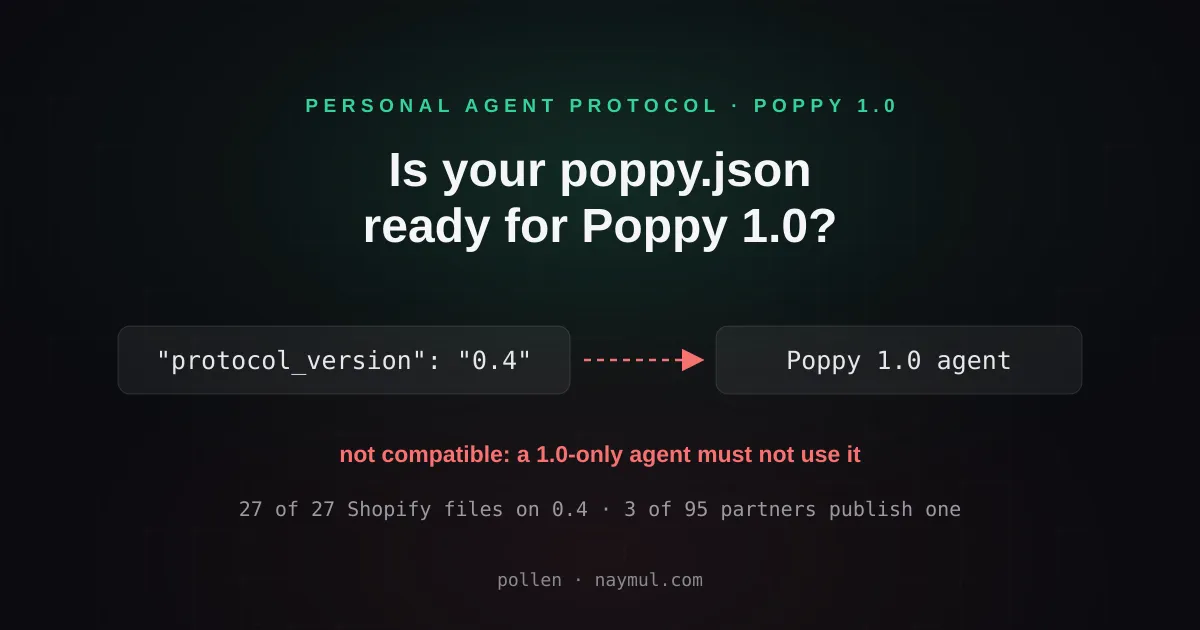
On November 13, 2026, Sierra shipped version 1.0 of the Personal Agent Protocol, and two things changed at once. Every Shopify store started publishing a poppy.json file automatically, and Meta's Muse agent started looking for one first on every site it visits.
So I checked who actually publishes one, and whether it works. On November 17 I ran 134 sites through a validator: the main domains of the protocol's own design partners, and 39 well-known online stores. Twenty-seven of the stores served a Shopify-generated file, and every one of them declared draft 0.4. An agent that implements only 1.0 must not use a 0.4 file. Of 95 design-partner domains, three served a file, and none of those was on 1.0 either.
The short answer: poppy.json is the discovery file of the Personal Agent Protocol (Poppy). It is one JSON document at https://your-domain/.well-known/poppy.json that tells personal AI agents who you are, which channels they can use (your website, OpenAPI or MCP APIs, your own agent), and where your users sign in. To add one, publish "protocol_version": "1.0", an organization with your name and domain, and at least one channel. To validate it, run npx github:NHTanvir/pollen check your-domain.com.
That last command is Pollen, an open-source checker I built for exactly this. It reads your file the way an agent does, checks it against 42 rules from the 1.0 spec, and prints the fix for every failure. This post covers what the file is, how to add it, how to validate it, and what 134 real sites taught me about getting it wrong.
Key takeaways
- Poppy 1.0 shipped in November 2026. Most guides written in October describe draft 0.1, and several of its details no longer apply.
- Every Shopify storefront we checked serves a 0.4 file. It is two edits away from 1.0, and Shopify's OAuth setup already passes every 1.0 check.
- Headless Shopify storefronts built on Hydrogen served no file at all.
- Of 95 design-partner domains, three publish a file, and all three are on drafts.
- Valid JSON is not enough. The domain inside the file must match the host that serves it, the final URL must be exactly
/.well-known/poppy.json, and your OAuth issuer must confirm your domain from its side.
What is the Personal Agent Protocol?
The Personal Agent Protocol, Poppy for short, is an open standard for how a personal AI agent, acting for one person, works with a company on that person's behalf. The agent finds the company, signs the person in through the company's own OAuth page, and then uses the APIs, website or company agent the company chooses to offer, limited to the access the person approved.
Sierra and Meta announced it on October 6, 2026. Drafts 0.1 to 0.4 followed over five weeks, and Sierra released 1.0 on November 13. More than 100 companies are design partners, including Meta, OpenAI, Shopify, Stripe, Walmart, Visa, Mastercard and Target. The specification is open and licensed Apache-2.0.
Why a site owner should care: agents are already shopping, booking and changing orders for people. Today that is all or nothing. Either the agent pretends to be the person and clicks through pages built for humans, or the company blocks it. Poppy gives you the middle: you decide what an agent may do, and the person decides how much of their account it may touch.
What is poppy.json?
poppy.json is the JSON file a company publishes at https://{domain}/.well-known/poppy.json so personal agents can discover it. It names the company, lists the channels an agent may use, and, through standard OAuth metadata, says where users sign in. It is to personal agents roughly what robots.txt is to crawlers, except that instead of saying which pages may be fetched, it says how an agent can work with you.
The smallest valid file:
{
  "protocol_version": "1.0",
  "organization": { "name": "Example Company", "domain": "example.com" },
  "web": {}
}
An empty web object tells agents they may browse your site as ordinary signed-out visitors. A fuller file for a store with sign-in, a company agent and two APIs looks like this:
{
  "protocol_version": "1.0",
  "organization": {
    "name": "Juniper Outfitters",
    "domain": "shop.example",
    "logo_uri": "https://shop.example/logo.png"
  },
  "auth": {
    "scopes": {
      "orders:read": "See your orders and returns",
      "orders:write": "Start a return or change an order"
    },
    "scope_hints": {
      "orders:read": { "changes": "none", "personal_data": true },
      "orders:write": { "changes": "reversible", "personal_data": true }
    }
  },
  "agent": {
    "protocols": [
      {
        "type": "poppy",
        "endpoint": "https://api.shop.example/poppy/conversations",
        "description": "Orders, returns, sizing, and store policies"
      }
    ]
  },
  "apis": [
    { "type": "openapi", "url": "https://api.shop.example/openapi.json", "description": "Orders and returns" },
    { "type": "mcp", "url": "https://mcp.shop.example/mcp", "description": "Product search and stock" }
  ],
  "web": { "browser_session_endpoint": "https://shop.example/poppy/browser-session" }
}
The fields, from section 3.1 of the spec:
| Field | Required | What it does |
|---|---|---|
protocol_version | Yes | The version the file follows, as major.minor. Use "1.0". |
organization | Yes | Your display name, your domain, and an optional HTTPS logo_uri. |
agent, apis, web | At least one | Your company agent, your APIs (openapi or mcp), and your website. |
auth | No | Scope descriptions and hints, issuer when you have several, and disabled to turn sign-in off. |
tasks | No | An endpoint listing tasks you don't offer to agents, and where to send feedback. |
extensions | No | Optional features such as operations (approvals) and ucp (shopping). |
supported_versions | No | Other protocol versions you still serve, each with its own URL. |
Who publishes poppy.json today?
On November 17, 2026, I checked 134 domains with Pollen 0.1.0: one request for each site's poppy.json, plus its OAuth metadata when the file was on 1.x. Requests identified themselves with a Pollen user agent and were not signed.
The protocol's own design partners. The spec lists 102 partners. Eight have names too generic to map to one domain, so I checked the main domains of the other 94, which is 95 domains, because PayPal and Venmo share one entry.
| Result | Domains |
|---|---|
Serve a poppy.json | 3 (one on 0.3, two on 0.4) |
| Serve a 1.0 file | 0 |
| No file (HTTP 404) | 70 |
| Refused the request (HTTP 403) | 15 |
| Other errors or timeouts | 7 |
The 403s don't mean those companies have no file. Their bot defenses refused an unsigned request. Poppy expects real agents to sign their requests with Web Bot Auth so those defenses can recognize them, and Pollen doesn't sign.
Thirty-nine well-known online stores, grouped by the platform their response headers showed:
| Storefront | Stores | What they served |
|---|---|---|
| Shopify's standard storefront | 27 | A Shopify-generated file, all on 0.4 |
| Shopify Hydrogen (headless) | 4 | No file |
| Other or unknown platforms | 5 | No file |
| Wix | 1 | A 1.0 file that passes every rule |
| Blocked the request (403 or 429) | 2 | Unknown |
Three things stood out.
Shopify's file is two edits from 1.0. I took one store's generated file, set protocol_version to "1.0", and added a description to its agent entry. Pollen then passed every document rule. With the store's real OAuth metadata, it passed every OAuth rule as well. Shopify gives each store its own OAuth issuer, https://shopify.com/authentication/<store id>, which is exactly what the spec asks of a platform that hosts many companies. Merchants can't edit this file, so the change has to come from Shopify.
Headless means no file. The four Hydrogen storefronts in the sample, which run Shopify's commerce on a custom front end, served nothing at /.well-known/poppy.json. If you run a headless store, you have to publish the file yourself.
Wix is already on 1.0. Both Wix sites I checked serve the same generated file: protocol_version 1.0, an MCP server at /_api/mcp, and a 0.4 copy listed in supported_versions so older agents still work. That fallback is a good pattern to copy.
How to add poppy.json to your website
1. Decide what agents can use
List what you already have. A website agents may browse is "web": {}. An OpenAPI description or an MCP server goes in apis. A support or sales agent you run goes in agent.protocols, with a description of what it can help with. You need at least one.
2. Write the file
Start from the examples above, or generate one by answering a few questions:
npx github:NHTanvir/pollen init --out public/.well-known/poppy.json
It asks for your company name, your domain, your OAuth issuer if you offer sign-in, and which interfaces you have. It writes a file that passes every rule.
3. Serve it at /.well-known/poppy.json
| Platform | Where the file goes |
|---|---|
| Next.js, Astro, Vite | public/.well-known/poppy.json |
| SvelteKit | static/.well-known/poppy.json |
| GitHub Pages (Jekyll) | Jekyll skips folders that start with a dot: add an empty .nojekyll file, or include: [".well-known"] to _config.yml |
| Shopify standard storefront | Generated for you (on 0.4 as of November 17) |
| Shopify Hydrogen | Not generated in our check: add a route that returns the JSON at that path |
| Wix | Generated for you (on 1.0 in our check) |
| Any other server | A static file at that path, answering HTTP 200 over HTTPS |
Agents fetch it only over HTTPS. Redirects are allowed, even to another host, but every hop must be HTTPS, and the final URL must be exactly /.well-known/poppy.json with no query string.
4. Make organization.domain match the host
The file speaks for the host that served it, after redirects. If example.com redirects to www.example.com, then organization.domain must be www.example.com. Use a bare host name: no https://, no path, and a port only if it isn't 443. This check stops a copied file from speaking for your company.
5. If you offer sign-in, link your OAuth issuer
Sign-in isn't a field in poppy.json. Agents find your issuer from standard metadata (RFC 9728) at https://{domain}/.well-known/oauth-protected-resource:
{
  "resource": "https://shop.example",
  "authorization_servers": ["https://auth.shop.example"]
}
The issuer then has to confirm the link from its side, by listing your domain in protected_resources in its RFC 8414 metadata, alongside its token and revocation endpoints:
{
  "issuer": "https://auth.shop.example",
  "authorization_endpoint": "https://auth.shop.example/oauth/authorize",
  "token_endpoint": "https://auth.shop.example/oauth/token",
  "revocation_endpoint": "https://auth.shop.example/oauth/revoke",
  "grant_types_supported": ["authorization_code", "refresh_token"],
  "scopes_supported": ["orders:read", "orders:write"],
  "protected_resources": ["https://shop.example"]
}
No sign-in yet? Skip this step. A company without an issuer can still offer signed-out browsing, APIs and conversations.
6. Validate it before agents do
Check the file locally before you deploy, then check the live domain after, because only a live check can test HTTPS, redirects, the host match and the OAuth link.
How to validate poppy.json
npx github:NHTanvir/pollen check your-domain.com          # the live site
npx github:NHTanvir/pollen check ./public/.well-known/poppy.json   # before you deploy
Here is Pollen on a file shaped exactly like the one Shopify generates today:
$ npx github:NHTanvir/pollen check poppy.json --failures-only
pollen 0.1.0 · Poppy 1.0 discovery check
target  poppy.json
note    Local file. After you deploy, check the live domain too: that also tests HTTPS, redirects, the host, and OAuth metadata.

Document
  FAIL  version.compatible  protocol_version is compatible with 1.0  §3.4
        ✗ protocol_version: 0.4 is a pre-1.0 draft. Before 1.0, a version is compatible only with the same minor version, so a Personal Agent that implements only 1.0 must not use this document. Pollen checks 1.0 documents, so it skipped the field rules
          fix: Publish a 1.0 document: set protocol_version to "1.0" and apply the changes since 0.4 in the changelog (https://personalagentprotocol.org/docs/changelog). To keep serving 0.4 as well, move it to another URL and list it in supported_versions. If your platform generates poppy.json for you, it has to make this change.
          https://personalagentprotocol.org/docs/1.0/spec#versions

Score 75/100   3 passed · 1 error · 0 warnings · 38 skipped
FAIL  Fix the 1 error above before Poppy 1.0 Personal Agents can use this document.
It reports the version as the one problem, instead of burying a 0.4 file under rules that only exist in 1.0. Every rule cites the spec section it enforces. The checks are deterministic, with no AI involved, so the same site always gets the same report.
For CI, --json prints the whole report and the exit code tells you the result: 0 passed, 1 failed, 2 usage error.
npx github:NHTanvir/pollen check your-domain.com --json | jq -c '{score, ok, errors: .summary.errors}'
{"score":75,"ok":false,"errors":1}
To catch a broken file after every deploy, and changes made outside your repository, add the GitHub Action:
on:
  push:
  schedule:
    - cron: "0 6 * * *"
jobs:
  poppy:
    runs-on: ubuntu-latest
    steps:
      - uses: NHTanvir/pollen@v0.1.0
        with:
          target: your-domain.com
The poppy.json mistakes to fix first
1. A draft version. 0.1 to 0.4 are drafts, and each is compatible only with itself. Set "protocol_version": "1.0". To keep serving a draft, host it at another URL on the same host and list it in supported_versions, as Wix does.
2. An agent entry without a description. 1.0 made description required on every agent.protocols entry. It's the next error you hit after bumping the version:
Channels
  FAIL  agent.protocols       agent.protocols entries have type, HTTPS endpoint, and description  §8.1
        ✗ agent.protocols[0].description: description is missing
          fix: Say in plain language what the agent at this endpoint can help with. It may say anything.
Add one sentence, and the same file scores 100.
3. A domain that doesn't match the host. example.com in the file but served from www.example.com, or a value like https://example.com/ with a scheme and a slash. Agents compare the bare host and refuse a mismatch.
4. A redirect that lands somewhere else. A redirect to /poppy.json, to a URL with a query, or to http:// makes the file unusable, however correct its contents are.
5. An issuer that doesn't confirm your domain. Your issuer's metadata must list https://your-domain in protected_resources, exactly, with no path or trailing slash. Without it, agents won't trust the link, and sign-in never starts.
6. Advice from the drafts. Guides written in October tell you to use "protocol_version": "0.1" and a poppy_domains field. Version 0.3 replaced poppy_domains with protected_resources, and 1.0 needs "1.0".
7. Contradictory web settings. "web": { "disabled": true } asks agents not to browse your site, so it can't also list a browser_session_endpoint, and you must then offer agent or apis.
What changed between Poppy 0.4 and 1.0?
The changelog lists everything. These are the changes that touch poppy.json:
| Change | Since | What to do |
|---|---|---|
protocol_version is "1.0" | 1.0 | Bump it, and keep older files in supported_versions if you still serve them |
agent.protocols[].description is required | 1.0, breaking | Add a sentence saying what each agent can help with |
| 1.x minor versions stay compatible | 1.0 | A 1.1 file will still work for 1.0 agents |
organization.domain includes its port when it isn't 443 | 1.0 | Only matters if you serve on another port |
| Mediated Sign-In retires on March 17, 2027 | 1.0 | Move to Direct Sign-In, on your own sign-in page |
protected_resources replaces poppy_domains | 0.3, breaking | Update your issuer's metadata |
Poppy vs MCP vs A2A vs UCP
These are layers, not rivals, and a poppy.json can point at two of them.
| Protocol | From | What it connects | Where it appears in poppy.json |
|---|---|---|---|
| Personal Agent Protocol (Poppy) | Sierra and Meta, October 2026 | A person's agent and a company: discovery, sign-in, sessions, channels | It is the protocol |
| MCP | Anthropic, November 2024, now at the Linux Foundation's Agentic AI Foundation | An AI application and tools or data | As an API: { "type": "mcp", "url": "…" } |
| A2A | Google, April 2025, a Linux Foundation project since June 2025 | One agent and another | Not referenced: Poppy's company-agent conversations use its own poppy protocol |
| UCP | Google with Shopify, January 2026 | Shopping agents and merchants: catalog, cart, checkout | Through the ucp extension and a ucp agent entry: Poppy signs the user in, UCP handles the shopping |
Is your site agent-ready? Poppy in readiness scanners
Cloudflare's agent-readiness scanner, isitagentready.com, now lists a Personal Agent Protocol check among its 22 checks. Two things to know as of November 17, 2026: the Poppy check doesn't count toward the site's score, and the fix-it guidance the page shows for it still describes draft 0.1, asking for "protocol_version": "0.1" and poppy_domains. Use a broad scanner for the wide view across standards, and a dedicated 1.0 check for the file itself.
Questions people ask
What is poppy.json?
It is the discovery file of the Personal Agent Protocol, published at /.well-known/poppy.json. It tells personal AI agents who the company is, which channels they can use (the website, OpenAPI or MCP APIs, a company agent), and through OAuth metadata, where users sign in.
Where do I put poppy.json?
At https://your-domain/.well-known/poppy.json, served over HTTPS with HTTP 200. In Next.js, Astro or Vite, that is public/.well-known/poppy.json. On GitHub Pages, Jekyll skips folders that start with a dot, so add a .nojekyll file or include the folder in _config.yml.
Does every Shopify store have a poppy.json?
Every store on Shopify's standard storefront serves one automatically, according to Sierra's 1.0 announcement, and all 27 we checked did. The four headless Hydrogen storefronts we checked served none, so a headless store needs to publish its own file.
Why does my Shopify store's poppy.json fail validation?
On November 17, 2026, Shopify's generated files declared protocol_version 0.4. Before 1.0, a version is only compatible with itself, so an agent that implements only 1.0 must not use it. The file also lacks the description 1.0 requires on its agent entry. Shopify generates the file, so the fix has to come from Shopify.
Do I need OAuth to publish poppy.json?
No. A company without an OAuth issuer can publish poppy.json and offer signed-out browsing, APIs and conversations. You need an issuer only to let agents sign your users in, and then your issuer must list your domain in protected_resources.
Is poppy.json the same as llms.txt or robots.txt?
No. robots.txt says which pages crawlers may fetch, and llms.txt summarizes content for language models. poppy.json declares how a personal agent can work with you on a user's behalf: the channels it can use, and how users grant it access to their account.
What is the difference between Poppy and MCP?
MCP connects an AI application to tools and data. Poppy connects a person's agent to a company: it finds the company, signs the person in, and ties activity together in one session. A company can list its MCP server in poppy.json as one of its APIs.
Which protocol_version should poppy.json use?
Use "1.0". Drafts 0.1 to 0.4 are only compatible with themselves, while every 1.x version stays compatible with 1.0 agents. If you still serve a draft, publish it at another URL on the same host and list it in supported_versions.
How do I test my poppy.json?
Run npx github:NHTanvir/pollen check your-domain.com. It fetches the file the way an agent does, follows redirects, checks the OAuth link, and prints PASS or FAIL for each of 42 rules, a 0 to 100 score, and a fix for every failure. It runs offline against a local file too, and as a GitHub Action in CI.
Does Meta's Muse use poppy.json?
According to Sierra's 1.0 announcement, Muse looks for Poppy first on every site it visits. That makes a correct, 1.0 poppy.json the file most likely to decide whether an agent works with your site or falls back to clicking through it.
Related
Pollen is the fourth open-source tool I've written up here. The other three audit code that AI agents write: gatescope maps every API route to the guards that protect it, statescope recovers the state machine your code implements, and schemascope reviews the database schema underneath.
If your poppy.json lists an MCP server and that server sends events, Hookbench tests them against MCP Events (SEP-3415), the extension that lets an MCP server tell agents when something happens.
Get it
github.com/NHTanvir/pollen: MIT licensed, zero runtime dependencies, 331 tests, and a GitHub Action on the Marketplace.
If Pollen flags something you're sure is correct, open an issue with the URL and the spec section. A false positive is a bug, and it gets fixed like one.