How to Audit the Database Schema Your Coding Agent Just Wrote
Your coding agent wrote the schema in seconds. Here is how to audit it for unindexed foreign keys, wrong column types and missing constraints — and get the DDL that fixes each one.

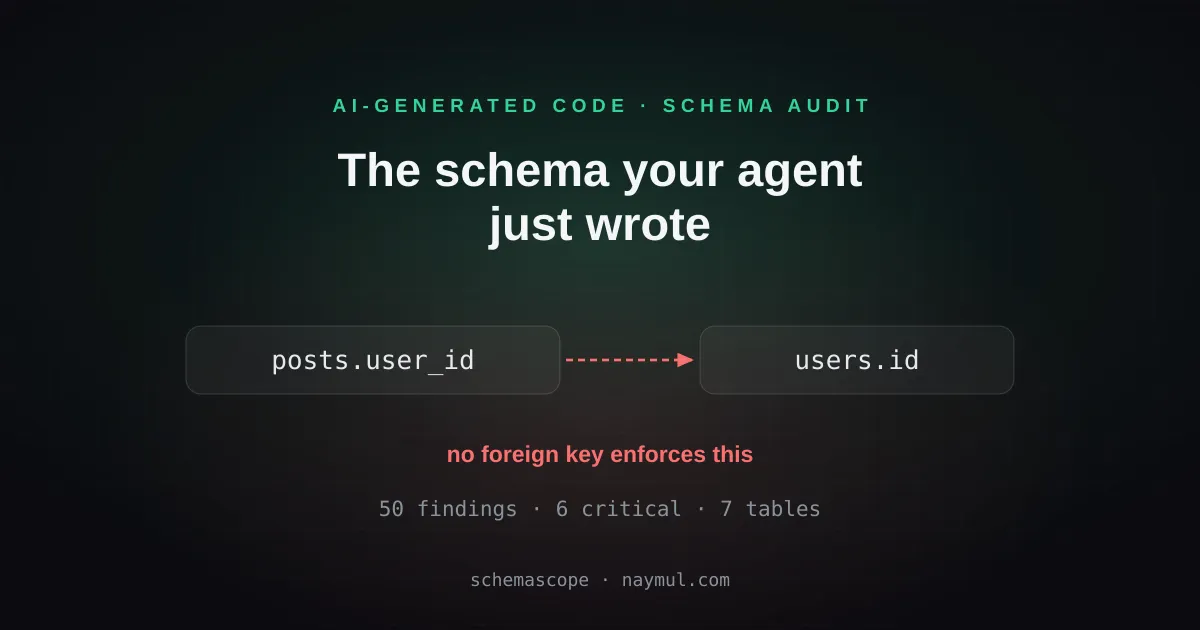
Ask any coding agent for a database schema and you get one in about four seconds. It will have sensible table names, plausible columns and a comment above each one. It will look like something a careful person wrote. Then six months of rows land in it and you find out that nothing was enforcing the foreign keys, every created_at sorts alphabetically, and the totals stopped reconciling three releases ago.
The schema is the one part of an application you cannot casually refactor. Code gets rewritten on a Tuesday afternoon; a column type that is wrong at ten million rows is a migration, a maintenance window and a conversation with someone about downtime. So it is worth auditing the thing properly before it carries data — and worth having that audit be something your agent can run itself, not a task you keep meaning to get to.
That is what I built schemascope for. Point it at a schema, get a ranked list of what is wrong, and get the exact DDL that fixes each finding. This post is how to use it.
Why AI-generated schemas pass review and fail in production
Generated schemas fail in a consistent, recognisable way, and it is not randomness — it is the shape of the training data. A model writing CREATE TABLE has seen a million tutorial schemas. Tutorial schemas declare columns. They rarely declare indexes, because the tutorial's three rows do not need one.
So the defects cluster:
- Foreign keys that are implied but never declared. The column is called
user_id, it clearly points atusers, and nothing in the database says so. - Foreign keys that are declared but not indexed. This is the single most common defect in generated schemas. Every join and every cascade check scans the whole table.
- Types chosen for how they read, not how they behave.
REALfor money,TEXTfor timestamps,TEXTfor counts — where'10' < '9'is true. - Constraints left off entirely.
emailwith no unique index,statusaccepting any string anybody ever writes to it, every column nullable.
None of this fails a code review. It all looks fine. It fails later, under data.
What schemascope does
It is an agent skill — a SKILL.md plus three Python scripts — that does two things to a schema:
- Audits it. 24 rules, ranked critical through low, each finding explained in terms of what it will actually cost you, and each one carrying the DDL that fixes it. A finding without a fix is just a complaint.
- Draws it. A Mermaid ER diagram that GitHub renders natively, or one self-contained HTML file with the diagram and every finding in it.
The scripts are plain Python 3.9+ with no dependencies, so there is nothing to install and no database driver to match to your stack. Nothing leaves your machine. It is MIT licensed.
Installing schemascope
The fastest way is to let your agent do it. Paste this:
Install schemascope for me by reading
https://raw.githubusercontent.com/NHTanvir/schemascope/master/llms.txt
Or place it yourself:
git clone https://github.com/NHTanvir/schemascope \
  ~/.claude/skills/schemascope
Claude Code can add it as a plugin instead:
/plugin marketplace add NHTanvir/schemascope
It works anywhere a SKILL.md is read — Claude Code, Cursor, Codex, OpenClaw. Once it is installed, you do not invoke it by name. Asking your agent to "review this schema" or "draw me an ERD" is enough, and a well-behaved agent will run it on its own work right after it designs a schema.
Running your first schema audit
There is one command, and it takes whatever you have. No driver, no connection string, no config file.
A plain SQL file
python3 scripts/audit.py schema.sql
PostgreSQL
Pipe a schema-only dump straight in. The - means stdin:
pg_dump --schema-only mydb | python3 scripts/audit.py -
MySQL or MariaDB
mysqldump --no-data -u root mydb | python3 scripts/audit.py -
SQLite
Hand it the database file directly:
python3 scripts/audit.py app.sqlite
Prisma
schema.prisma is parsed natively, so an ORM project needs no export step:
python3 scripts/audit.py schema.prisma
Using dumps rather than live connections is deliberate. It means every stack is covered with nothing to install, and it means your schema never leaves the machine you ran it on.
Reading the report
The default output is a severity histogram and then the findings, worst first:
  SCHEMA AUDIT   examples/blog-schema/before.sql
  7 tables · postgres

  critical    6  ███████
  high       25  ████████████████████████████
  medium      7  ████████
  low        12  █████████████

  50 findings across 7 tables
The ranking is the point. Fifty findings is paralysing as a flat list; six critical ones are an afternoon. Read down from the top and stop when the severity stops mattering to you.
Three other shapes are available when you want something other than a terminal:
# paste into a PR comment
python3 scripts/audit.py schema.sql --markdown

# just the migration, nothing else
python3 scripts/audit.py schema.sql --sql

# for your own tooling
python3 scripts/audit.py schema.sql --json
The five findings worth fixing first
1. Unindexed foreign keys
The most common defect in generated schemas, and the one that degrades quietly. The constraint is declared, so integrity is fine — but every join across it, and every delete on the parent that has to check children, scans the table.
CREATE INDEX idx_posts_user_id ON posts (user_id);
It stays fast in development because development has four hundred rows.
2. Foreign keys that were never declared
Worse than unindexed, because nothing is enforcing anything:
posts.user_id
  user_id looks like a reference to users but no foreign key enforces it.
  fk_without_constraint — The database will happily store an id that points
  at nothing.
Orphans accumulate silently and deletes leave dangling references. The only thing protecting integrity is application code that every new caller has to remember to write.
ALTER TABLE posts ADD CONSTRAINT fk_posts_user_id
  FOREIGN KEY (user_id) REFERENCES users (id)
  ON DELETE RESTRICT;
CREATE INDEX idx_posts_user_id ON posts (user_id);
3. Money in a float
REAL and DOUBLE PRECISION cannot represent 0.10 exactly. Store money in one and the errors compound through every sum until a report disagrees with the ledger and nobody can say when it started.
ALTER TABLE orders
  ALTER COLUMN total TYPE numeric(12,2) USING total::numeric(12,2);
4. Timestamps stored as text
A date in a TEXT column sorts alphabetically, compares alphabetically, and cannot use a date index. It works perfectly until a format changes.
ALTER TABLE posts
  ALTER COLUMN created_at TYPE timestamptz USING created_at::timestamptz;
The related rule, timestamp_without_timezone, catches the subtler version: a naive timestamp column that means a different instant depending on who wrote the row.
5. Status columns that accept anything
status TEXT will hold 'published', 'Published', 'PUBLISHED', 'publsihed' and an empty string, and you will discover the fourth one from a support ticket.
ALTER TABLE posts
  ADD CONSTRAINT posts_status_check
  CHECK (status IN ('draft', 'published', 'archived'));
The other nineteen rules — unique constraints, cascade behaviour, JSON in text columns, type mismatches across foreign keys, missing created_at, unbounded text, reserved words, wide tables — are documented with their rationale in references/audit-rules.md.
Getting an ER diagram you can actually share
The audit tells you what is wrong. The diagram tells everyone else what the shape is.
python3 scripts/render.py schema.sql --mermaid
That emits Mermaid, which GitHub renders natively in any README, issue or PR description — no image to regenerate, no build step, no diagram that drifts from the schema because someone moved a box by hand:
erDiagram
    users ||--o{ posts : "user_id"
    posts ||--o{ comments : "post_id"
    users ||--o{ comments : "user_id"
    comments |o--o{ comments : "parent_id"
For something to send to a person rather than a repository:
python3 scripts/render.py schema.sql --out=report.html
One self-contained file — diagram, every finding, every fix, light and dark — that opens in a browser with nothing else installed.
Failing CI on a bad schema
An audit you have to remember to run is an audit that stops happening in week three. --strict exits 1 when there are critical findings:
python3 scripts/audit.py schema.sql --strict
Drop that in a pipeline step and a migration that drops a foreign key, or adds a REAL column for a price, stops being something a reviewer has to catch by eye.
From 50 findings to zero
The repository ships the whole thing as a worked example. examples/blog-schema/before.sql is a seven-table blog schema of exactly the kind an agent produces — reasonable looking, 50 findings, six of them critical. after.sql is the same data model with every finding addressed, and it audits to 0 findings.
The two files are worth reading side by side. The data model does not change. The tables, the columns and the relationships are identical. What changes is that the second one actually tells the database what it is looking at.
Questions people ask
Does schemascope need access to my database?
No. It reads a dump, a schema file or a SQLite file. For Postgres and MySQL you pipe pg_dump --schema-only or mysqldump --no-data into it, so there is no connection string, no credentials and no driver. Nothing is sent anywhere.
Which databases does it support?
PostgreSQL, MySQL and MariaDB via dumps, SQLite by reading the file, Prisma by parsing schema.prisma, and any raw .sql migration or schema file.
Do I need an AI agent to use it?
No. It is distributed as an agent skill because that is where generated schemas come from, but the scripts are ordinary Python and run perfectly well from a terminal or a CI job.
How is this different from SchemaSpy or drawDB?
drawDB is a tool for drawing a diagram by hand. SchemaSpy needs Java and Graphviz and produces documentation rather than a prioritised review. Atlas does migrations. All of them are good at what they do; none is a single command that tells you what your agent just got wrong and hands you the migration.
Will it rewrite my schema for me?
No, and deliberately. It emits the DDL and you decide what to run. An automatic migration tool that is wrong once is worse than no tool at all.
Related
The same idea goes two layers up. statescope recovers the state machine your code actually implements from every place that writes a status column, and gatescope maps every API route to the guards that actually protect it.
Get it
github.com/NHTanvir/schemascope — MIT licensed, no dependencies, 44 tests.
If you find a schema it should have flagged and did not, that is the most useful possible contribution: open an issue with the schema, and it becomes a rule.